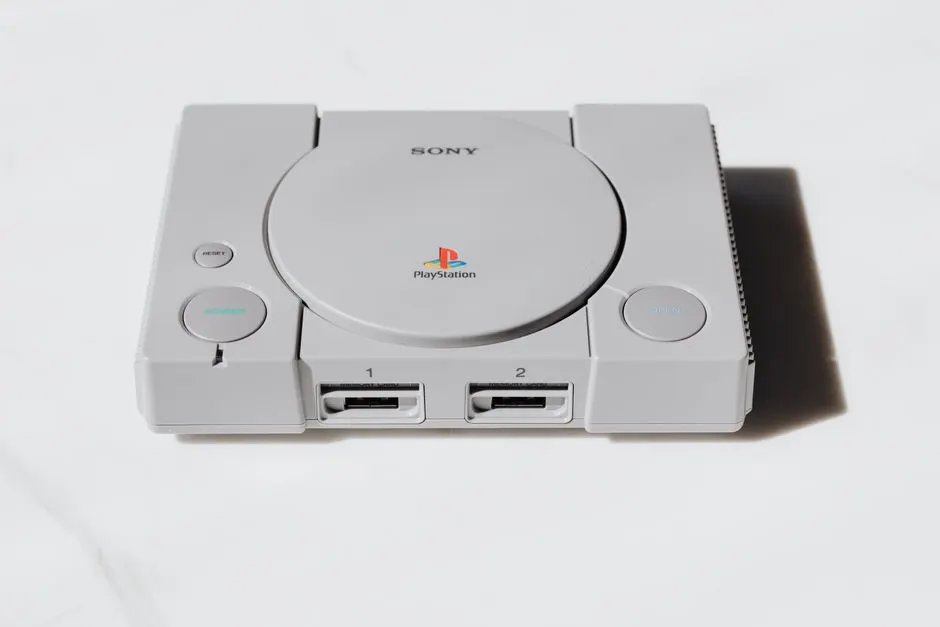
Your PS4 fan is loud because dust has packed the heatsink fins and the thermal paste under the APU has dried out, so the console runs hot and the fan spins at full speed to compensate. Cleaning the fan and vents restores airflow and drops the noise within about 30 to 45 minutes of work. This guide walks Houston players through the exact tools, steps, and warning signs, plus when a PS4 loud fan fix in Houston is the smarter call than another round of canned air.
Why your PS4 fan gets loud in Houston
PS4 fan noise in Houston climbs for two reasons: heat and dust. Houston's summer humidity pushes indoor temps into the high 70s and low 80s even with the AC running, and a console sitting in a media cabinet with 2 inches of clearance has nowhere to dump that heat. Add the fine silt that blows in from our clay soil and Gulf air, and the fan becomes the only thing standing between your APU and a thermal shutdown.
The PS4's APU runs between 140°F and 175°F under load in a healthy console. Once the heatsink clogs, internal temps climb 15°F to 25°F higher, and the fan ramps from a quiet 1,800 RPM to a jet-engine 4,500 RPM or more. That is the roar you hear during God of War or a 2-hour Fortnite session.
Three specific culprits show up in our shop every week:
- Dust-packed heatsink fins - the aluminum fins behind the fan act like a filter and trap lint, pet hair, and Houston silt.
- Dried thermal paste - factory paste on a launch PS4 or PS4 Pro is now 7 to 11 years old and has turned chalky.
- Poor placement - consoles shoved into enclosed TV stands or set on carpet starve for cool intake air.
If your console has already started shutting off mid-game or flashing the overheating warning, that is past the cleaning stage. Our game console overheating repair Houston TX service handles the deeper thermal work, including paste replacement and fan swaps.
How to clean your PS4 fan and stop loud noise Houston TX
PS4 fan cleaning Houston TX is a straightforward job you can do at home with a Torx T8 or T9 security bit, a can of compressed air, and 30 to 45 minutes on a clean table. The goal is simple: get airflow back through the heatsink and let the fan spin slow again.
Before you open anything, unplug the console and let it sit for at least 20 minutes. The power supply capacitors hold a charge, and the heatsink stays hot enough to burn your fingers for a while after shutdown.
Work in a room with good light and no carpet. Houston dust is fine and sticky, and once you blow it loose it goes everywhere. A garage workbench or a kitchen counter with a towel down works fine.
Tools and supplies you actually need
The right tools make the difference between a 30-minute job and a stripped screw you cannot remove. Here is what we use on every PS4 that comes through the bench:
- Torx T8 or T9 security bit - the rear screws on most PS4 models are security Torx with a center pin.
- Phillips #0 and #1 screwdrivers - for the internal brackets and the fan housing.
- Compressed air or an electric air duster - canned air works, but a plug-in duster pays for itself after two cleanings.
- Isopropyl alcohol (90% or higher) and lint-free swabs - for the fan blades and vent grilles.
- Soft-bristle brush - a clean paintbrush or an old toothbrush for loosening caked dust.
- Anti-static wrist strap - optional but cheap insurance for the motherboard.
Do not use a household vacuum directly on the board. The plastic nozzle builds static and can fry a component. If you must vacuum, hold the nozzle an inch away and only vacuum the exterior vents.
Step-by-step PS4 fan cleaning
Follow these steps in order. Skipping the unplug or the 20-minute cooldown is how people crack a fan housing or zap a board.
1. Open the console
Lay the PS4 upside down on a towel. Remove the four Torx security screws at the rear corners, then slide the top cover backward and lift it off. On a PS4 Pro, the cover pops off with a firm push toward the rear; on a slim, the screws are under the rear sticker.
2. Blow out the fan and heatsink
Hold the fan blade still with a finger so it does not over-spin, then hit the heatsink fins with short bursts of air. Work from the inside out. You will see a gray cloud of dust come out - that is normal, and it is the main reason your fan was loud.
3. Clean the fan blades
Dampen a lint-free swab with isopropyl alcohol and wipe each blade. Caked dust on the blades throws the fan off balance and adds a rattle on top of the whoosh. Let it dry for 5 minutes before reassembly.
4. Clear the intake and exhaust vents
Run your brush along the side intakes and the rear exhaust. On a PS4 Pro, the side vents are the ones that clog first in Houston homes with pets.
5. Reassemble and test
Snap the cover back on, reinstall the screws, and plug in. Boot a demanding game for 15 minutes and listen. A clean console should drop from a roar to a soft hum within the first few minutes of play.
If the noise comes back within a week, the paste is the problem, not the dust. That is when our game console fan and cooling repair Houston TX service makes more sense than another teardown.
Common mistakes that make PS4 fan noise worse
Most failed DIY cleanings we see share the same handful of mistakes. Avoid these and your console will run quieter for longer.
- Spinning the fan with compressed air. Free-spinning the fan past its rated RPM can damage the bearing and create a permanent whine.
- Blowing dust deeper into the console. Short bursts at an angle, not a continuous blast straight into the intake.
- Skipping the thermal paste. On a 2013-2016 console, cleaning without repasting buys you a few weeks of quiet at best.
- Using a vacuum on the motherboard. Static discharge kills consoles silently. The console boots, then crashes a week later.
- Putting it back in the same enclosed cabinet. If the console had 2 inches of clearance before, it will clog again in 3 to 4 months.
Placement matters as much as cleaning. Keep at least 4 inches of open air on all sides, stand the console vertical only if the stand has a fan, and never set it on carpet or a padded shelf.
When to call a professional
Call a professional when the noise survives a cleaning, when the console shuts off mid-game, or when you see the overheating warning on screen. Those are signs the thermal paste has failed or the fan itself is worn out, and both jobs require a full teardown past the point most owners want to go.
We handle this every day at our bench. Our game console cleaning and maintenance Houston TX service includes a full teardown, heatsink cleaning, fan inspection, and thermal paste replacement with quality compound. Turnaround is usually same-day to 48 hours depending on parts.
If you are not sure whether the fan or the disc drive is making the noise, bring it in. A rattling disc drive and a worn fan bearing sound similar from across the room, and misdiagnosing it wastes money. Our game console disc drive repair Houston TX team can tell the difference in under 5 minutes.
Players in the inner loop tend to bring consoles in from apartments and older homes where dust and humidity hit hardest. If you are near Game Console Repair in Midtown, we are a short drive away and can usually take walk-ins the same day.
Frequently Asked Questions
How to clean PS4 fan in Houston?
Unplug the console, wait 20 minutes, open the rear Torx screws, and blow short bursts of compressed air through the heatsink fins while holding the fan still. Wipe the blades with 90% isopropyl alcohol, clear the vents, and reassemble. The job takes 30 to 45 minutes and drops fan noise noticeably on a dusty console.
Why is my PS4 fan so loud in Houston TX?
Houston heat and fine dust combine to clog the heatsink and dry out thermal paste. Once airflow drops, internal temps climb 15°F to 25°F and the fan ramps to 4,500 RPM or higher. That is the roar you hear during long gaming sessions.
Where to clean PS4 fan in Houston?
You can clean it at home with a Torx T8 bit and canned air, or bring it to a local shop for a full teardown and repaste. For consoles that shut off mid-game or show the overheating warning, a professional cleaning is the safer route.
PS4 fan cleaning cost Houston?
Typical 2026 pricing in Houston runs $60 to $120 for a professional clean-and-repaste, depending on model and whether the fan needs replacing. DIY supplies cost about $20 to $35 for a security bit set, canned air, and isopropyl alcohol.
Who cleans PS4 fans in Houston TX?
We do. Game Console Repair Houston cleans and repastes PS4, PS4 Slim, and PS4 Pro consoles, and we also handle Xbox, Switch, and retro systems. Most fan cleanings are same-day or 48-hour turnaround.
Get help with Game Console Repair in Houston
If your PS4 is still roaring after a cleaning, or you would rather not risk a stripped screw on a $400 console, bring it to us. We will diagnose the noise, clean or replace the fan, repaste the APU, and test it under load before you pick it up.
Call +1 832-581-0001 to book a PS4 fan cleaning or a full cooling service at Game Console Repair Houston.