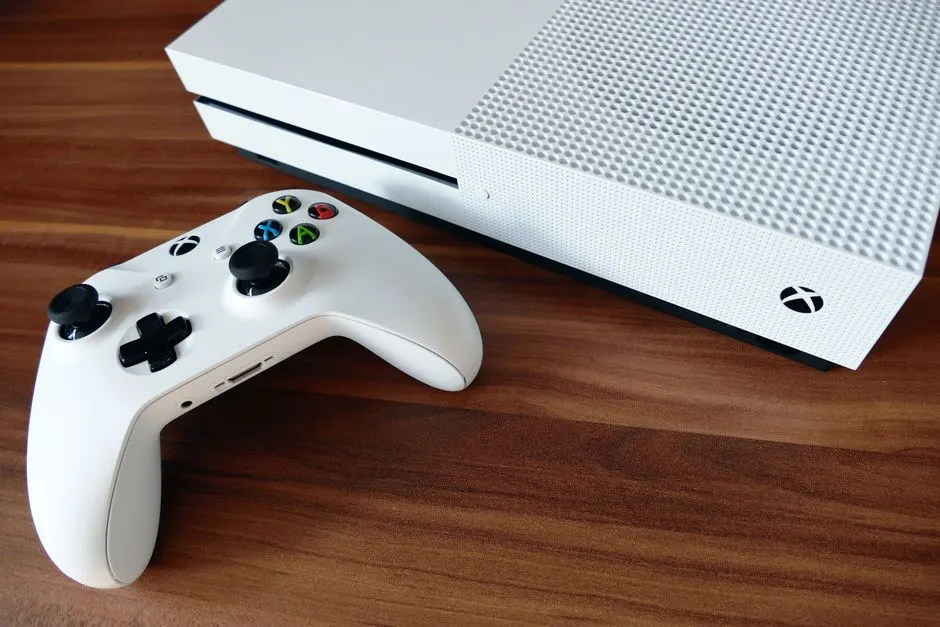
An Xbox that won't turn on in Houston is almost always suffering from one of four failures: a dead power supply brick, a broken power jack, a blown motherboard fuse, or a shorted internal component. If the console shows no light, no fan spin, and no startup chime, the fault is electrical - not a software glitch you can fix with a reset. This guide walks you through the checks worth doing at home, the ones that make things worse, and how to get a proper Xbox not turning on fix in Houston without wasting a week on guesswork.
Why your Xbox won't turn on in Houston
Houston's climate is brutal on electronics. Summer garage temperatures hit 110°F, and the humidity inside a Memorial-area apartment can sit above 70% for weeks. Both accelerate the two failures we see most: dried-out capacitors in the power supply and corrosion on the power jack pins. An Xbox power issue Houston homeowners describe as "it just died overnight" is usually one of those two, not a bad HDMI cable or a corrupted update.
Here are the specific causes, ranked by how often we see them on our bench:
- Failed power supply (brick or internal PSU): The single most common cause. The brick on an Xbox One or the internal PSU on a Series X stops delivering stable voltage. You get a brief light, then nothing.
- Damaged power jack: The barrel connector on the back of the console cracks or oxidizes. Wiggling the cord makes it flicker - that's your tell.
- Blown motherboard fuse or shorted MOSFET: A power surge during a Houston thunderstorm takes out a protection component. The console is completely dead, no light at all.
- Corroded or swollen capacitors: Heat and age. Common on launch-model Xbox One units from 2013-2015.
- Firmware lock-up: Rare, but a bad update can leave the console in a state where it won't POST. This is the one case where a software fix helps.
If you've already ruled out the outlet and the cord, you're likely looking at a hardware repair. For a full breakdown of what we fix on every model, see our Xbox repair Houston TX service page.
How to fix an Xbox power issue in Houston TX
Work through these steps in order. Stop as soon as you find the failure - continuing past it risks damaging a component that's still good.
- Test the outlet with something else. Plug a lamp into the same socket. If the lamp works, the outlet is fine. Houston homes built before 1980 sometimes have a switched outlet that a wall switch controls.
- Inspect the power cord and brick. Look for kinks, chew marks, or a brick that's warm to the touch when unplugged. A brick that's hot with nothing connected is failing.
- Try a known-good power brick. If you have a second Xbox One, swap bricks. This takes 30 seconds and eliminates the most common failure immediately.
- Check the power jack for play. Insert the cord and gently move it side to side. Any flicker of the power LED means the jack needs replacement.
- Hold the power button for 10 seconds. This discharges residual power. On a Series X or Series S, also unplug for 60 seconds, then reconnect and try again.
- Try the controller-based power-on. If the console turns on from the controller but not the button, the button board is the problem - not the PSU.
If none of that brings the console back, the fault is inside the chassis. That's when a game console power jack repair Houston TX or a full power supply replacement is the right move. We diagnose both on the same visit.
What not to do
Do not open the power brick. It holds a charge that can hurt you even unplugged. Do not spray contact cleaner into the console vents - it pools on the board and causes corrosion. And do not keep pressing the power button repeatedly; if there's a short, you're feeding it.
Common mistakes Houston gamers make
The mistakes we see most often turn a $75 repair into a $200 one. Here's what to avoid.
- Assuming it's the HDMI or the TV. A console with no power light has a power problem, not a display problem. Don't buy a new TV.
- Buying a cheap third-party brick. The $20 Amazon brick delivers unstable voltage and can fry the console's power board. Use OEM or a tested replacement.
- Leaving it plugged in during a storm. Houston gets 50+ thunderstorm days a year. A $25 surge protector is cheaper than a motherboard repair.
- Storing the console in a garage or unvented closet. Heat is the number one killer of Xbox power supplies. Keep it in air conditioning.
- Ignoring the first flicker. If the console occasionally doesn't turn on the first time, the PSU is already failing. Fix it before it takes the board with it.
If you're in an older building - say a converted loft in Game Console Repair in Downtown Houston - the wiring itself may be part of the problem. We test the console and the outlet before we quote anything.
When to call a professional
Call us when the console is completely dead, when the power jack is loose, or when you've already replaced the brick and it still won't start. Those three symptoms point to board-level work that needs a soldering station and a bench power supply - not a screwdriver and a YouTube video.
Our technicians handle Xbox power supply repair Houston-wide, from Katy to Pasadena. We test the PSU under load, check the motherboard for shorts, and replace the jack if it's worn. Most power-related repairs are done same day, and we quote the price before we start. If you're not sure whether it's worth fixing, bring it in - the diagnostic is free on the first visit.
We also work on other consoles if you've got a stack of dead hardware. Our PlayStation repair Houston TX team sees the same heat-related failures, and the diagnosis process is nearly identical.
What an Xbox not turning on repair costs in Houston
Typical 2026 pricing in the Houston area runs $65-$95 for a power jack replacement, $85-$140 for a power supply replacement, and $120-$220 for motherboard-level repair. A full diagnostic is free if you proceed with the repair.
Turnaround is usually 24-48 hours for power jack and PSU jobs. Motherboard repairs can take 3-5 days if we need to order a specific component. We'll tell you the timeline upfront - no vague "we'll call you when it's ready."
For comparison, a new Xbox Series X runs $499, and a used Xbox One still sells for $150-$200 in Houston. If your repair quote is more than half the cost of a replacement, we'll tell you that too, and we'll help you decide. We also offer game console trade-in and buyback Houston TX if you'd rather put the repair money toward an upgrade.
Frequently Asked Questions
Why won't my Xbox turn on in Houston?
The most common reason is a failed power supply - either the external brick on an Xbox One or the internal PSU on a Series X. Houston heat and humidity accelerate capacitor failure. A loose power jack or a blown motherboard fuse are the next most likely causes.
How to fix Xbox power issue in Houston TX?
Start by testing the outlet, swapping the power brick, and checking the jack for play. If those don't work, the fault is internal. A professional repair takes 24-48 hours and costs $65-$140 for most power-related fixes.
Where to repair Xbox not turning on in Houston?
Bring it to a dedicated console repair shop, not a general electronics store. We specialize in Xbox hardware, stock the right power supplies, and can test the board the same day. Most Houston customers get their console back within 48 hours.
Xbox won't turn on repair cost Houston?
Expect $65-$95 for a power jack, $85-$140 for a power supply, and $120-$220 for motherboard repair. Diagnostics are free when you proceed with the fix. We quote the exact price before we touch the console.
Who fixes Xbox in Houston TX?
We do. Our technicians work on Xbox One, Series S, and Series X power issues daily. We're local, we test before we quote, and we don't charge a diagnostic fee on the first visit. Call or bring it by.
Get help with Game Console Repair in Houston
If your Xbox still won't power on after the checks above, stop guessing and let us diagnose it. We'll find the fault, quote the repair, and have you back in the game - usually within two days.
Call Game Console Repair Houston at +1 832-581-0001 to schedule a same-day diagnostic. We serve all of Houston, from The Heights to Clear Lake.