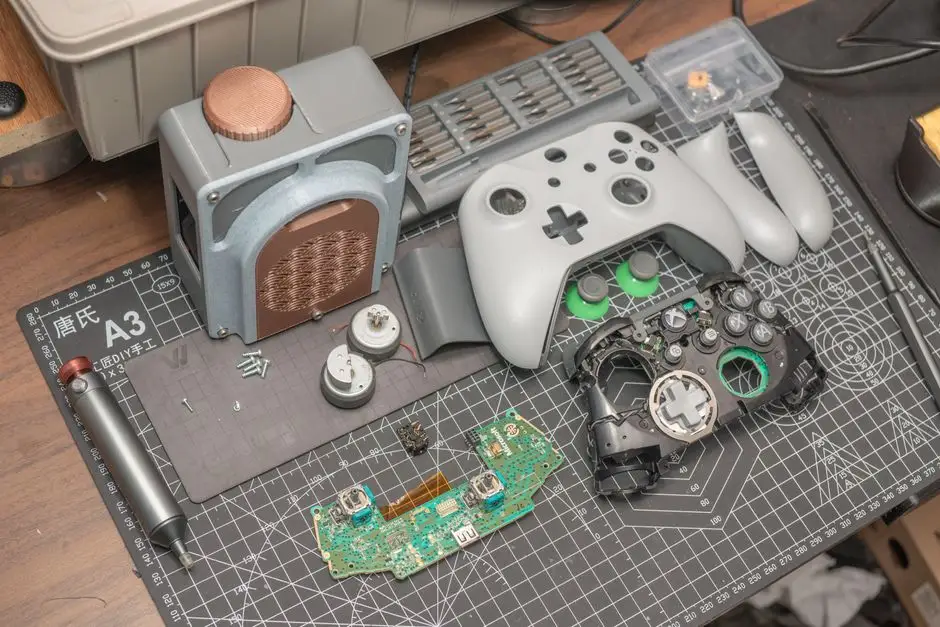
The reason most DIY power jack jobs end in a dead console is heat - not the jack itself. You can replace a game console power jack without breaking it by preheating the joint area to roughly 150°C, using a 60/40 or leaded solder blend, and pulling the old jack only after all three anchor pins flow freely. Rushing that step is what rips copper pads off the board.
We fix these every week at our bench, and the failures we see are almost always the same three: cold joints, lifted pads, and a jack that was never mechanically anchored. Below is the full process, the 2026 pricing you should expect in Houston, and the point where handing it off saves you money.
If you would rather not risk a motherboard, our team handles Game Console Repair Houston TX with same-day turnaround on most power jack jobs.
Why power jacks fail in Houston consoles
Power jacks fail in Houston consoles for three reasons: humidity-driven corrosion, cable strain from tight entertainment centers, and heat cycling from consoles that run in rooms without central air. The Gulf Coast sits at 70-90% relative humidity most of the year, and that moisture finds every exposed solder joint on a barrel jack.
A power jack is the metal barrel connector soldered to your console's motherboard that accepts the DC plug from the power brick. When it wears out, the console either won't charge, only charges at a specific cable angle, or shuts off mid-game when the cord shifts.
We see this most in older apartments and rental units where consoles sit on carpet, near windows, or inside closed cabinets. That is common across Game Console Repair in Midtown, where a lot of mid-rise units have limited ventilation and consoles run hot for six-hour sessions.
Three failure patterns show up on our bench:
- Worn barrel: the center pin loses tension, so the plug wiggles. Fix is a jack swap.
- Cracked solder joint: the jack is fine but the joint has micro-fractures. Reflow or replace.
- Lifted pads: someone already tried a repair with too much heat. This is the expensive one.
If the jack is intact but the console still won't hold a charge, the problem may be upstream - a failing charging circuit or a bad battery on a handheld. That is a different job, and our game console charging port repair Houston TX covers the full charging path, not just the jack.
What you need before you touch the board
You need a temperature-controlled soldering station, a hot air rework station, flux, solder wick, 60/40 leaded solder, isopropyl alcohol above 90%, and a plastic spudger. A $25 pencil iron from a big-box store will not hold temperature under load, and that is the single biggest cause of lifted pads.
Here is the bench setup we use:
- Temperature-controlled iron set to 350°C for leaded solder, 380°C for lead-free.
- Hot air station set to 280-320°C with low airflow (setting 2-3 on most units).
- No-clean gel flux in a syringe - not the paste tub.
- Desoldering wick, 2.5mm wide, plus a manual solder sucker.
- Isopropyl alcohol 91% or higher and lint-free swabs.
- A magnetic parts tray. Console screws are M2 and M3 and they disappear fast.
Budget 45-90 minutes for a first-timer on a PS5 or Xbox Series X. A Switch Lite is faster, usually 30-40 minutes, because the jack sits on a smaller board with fewer shields to remove.
One warning before you start: unplug the console and let it sit for at least 10 minutes. Power supplies hold a charge, and you do not want to short a rail while your iron is on the board.
How do you remove the old power jack without lifting pads?
You remove the old power jack by flooding all three pins with fresh leaded solder first, then heating them together with hot air while you lift the jack straight up. Adding new solder sounds backwards, but it lowers the melting point of the old joint and lets all pins flow at the same time.
Step by step:
- Add flux to all three jack pins.
- Touch each pin with your iron and feed in a small amount of 60/40 solder. You want a shiny dome on each.
- Switch to hot air at 300°C, low flow, and circle the jack body for 20-30 seconds.
- When the solder turns liquid and glossy, grip the jack with tweezers and lift straight up. Do not twist.
- Wick away the leftover solder from the pads while they are still warm.
- Clean the area with IPA and inspect under magnification.
The most common mistake here is pulling before all three pins flow. If one pin is still solid, you will rip the pad. A lifted pad on a PS5 board can turn a $70 jack swap into a $220 motherboard-level repair.
If you see copper already missing when you open the console, stop. That is not a jack job anymore - it is game console motherboard repair Houston TX, and it needs jumper wires and a microscope.
How do you solder the new jack so it survives a yank?
You solder the new jack by tacking one mechanical pin first, checking alignment, then soldering the electrical pins and finally reinforcing the anchor legs with a fillet of solder. The anchor legs carry the physical load, so they matter more than the signal pins.
Order of operations:
- Dry-fit the new jack and confirm the barrel lines up with the shell opening.
- Tack the largest mechanical leg with a small amount of solder.
- Re-check alignment. If it is off, reheat and nudge. Do not force it.
- Solder the two or three electrical pins with fresh 60/40 and a clean tip.
- Add a solder fillet to each anchor leg - a small ramp, not a blob.
- Clean flux residue with IPA. Flux left on the board attracts moisture, which is exactly what killed the original jack.
Let the board cool for five minutes before reassembly. Then plug in and test before you close the shell. If the console powers on but cuts out when you move the cable, the joint is cold - reflow it.
On a PS5 specifically, the jack sits under a metal shield that has to come off first. Our PS5 repair Houston bench does these daily, and the shield clips are the part most DIYers break. If you hear a snap that is not a screw, you have probably cracked a clip.
Common mistakes that turn a $70 fix into a $220 repair
The most expensive mistake is using too much heat for too long. Copper pads on modern console boards are thin, and they delaminate at around 400°C if you hold the iron there for more than a few seconds.
What we see most often:
- Pencil iron on a ground plane. The pad never gets hot enough, so you push harder, and the pad lifts.
- No flux. Oxidized joints look cold, so people add more heat instead of more flux.
- Twisting the jack out. Always lift straight up.
- Lead-free solder on a repair. It melts 30-40°C higher and makes the next repair harder.
- Skipping the anchor fillet. The jack works for a month, then the cable yank kills it again.
- Reassembling before testing. You find out it failed after 12 screws are back in.
If you have already lifted a pad, do not keep going. Stop, clean the area, and bring it in. We can usually save the board with a jumper wire, but only if the damage is contained.
When to call a professional
Call a professional when the jack is on a multi-layer board, when you see copper missing, or when the console is a PS5, Xbox Series X, or Switch OLED still under warranty. Those three cases carry the highest risk of turning a cheap fix into a dead console.
Signs it is time to hand it off:
- You see a lifted or missing pad.
- The jack is soldered to a ground plane that swallows your iron's heat.
- The console has other symptoms - no display, random shutdowns, or a fan that never spins up.
- You do not own a hot air station. Hot air is not optional for a clean removal.
We handle game console power jack repair Houston TX with a microscope and a preheater, which is what keeps pads intact. Most jack swaps are done same day, and we test the console under load before it goes back in the bag.
If your console also runs hot or shuts down after 20 minutes of play, the jack may not be the only issue. Houston summers push ambient temps past 38°C, and a clogged fan makes every other failure worse. Our game console fan and cooling repair Houston TX covers the thermal side so the new jack is not fighting a heat problem.
Frequently Asked Questions
How to replace game console power jack in Houston?
Preheat the joint area to about 150°C, flood all three pins with leaded solder, then use hot air at 300°C to lift the jack straight up. Reinstall with 60/40 solder and add a fillet on each anchor leg. Budget 45-90 minutes.
Where to fix power jack in Houston TX?
Game Console Repair Houston handles walk-in and mail-in power jack repairs with same-day turnaround on most models. We are open six days a week and test every console under load before it leaves the bench.
Can I replace PS5 power jack in Houston?
Yes, but the PS5 jack sits under a metal shield with fragile clips. Expect 60-90 minutes and a real risk of breaking clips without the right tools. Most customers let us handle it rather than risk a $220 board repair.
Who repairs power jacks near me in Houston?
We do, along with HDMI ports, disc drives, and controller drift. If you are searching for power jack repair near me Houston open now, call ahead and we can usually take your console the same day.
Power jack repair cost Houston TX?
Typical 2026 pricing runs $65-$95 for a standard jack swap on a PS4, Xbox One, or Switch. PS5 and Xbox Series X jobs run $95-$140 because of the shield removal and board access. Lifted-pad repairs start at $180.
Get help with Game Console Repair in Houston
If your console only powers on at a certain cable angle, the jack is already past saving. Bring it in and we will swap it, test it, and hand it back the same day in most cases.
Call Game Console Repair Houston at +1 832-581-0001 and tell us the model and the symptom. We will quote the job before we touch a screwdriver.