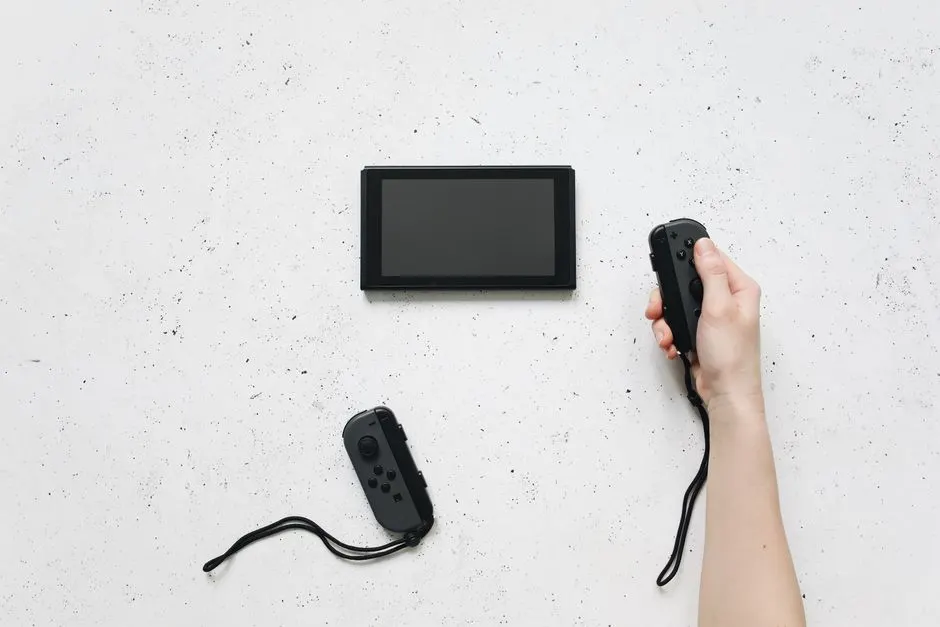
Your Nintendo Switch is not charging because the problem is almost always one of four things: a cable or power adapter that no longer delivers enough wattage, a dirty or worn USB-C charging port, a battery that has stopped holding a charge, or a failed charging IC on the motherboard. In most Houston cases we see, the port or the cable is the culprit, and a proper charging port repair runs $75 to $120 in 2026. Nintendo Switch not charging Houston TX calls are one of the top three repairs that come through our bench every week.
Here is the order we walk customers through on the phone, from the free checks you can do in five minutes to the board-level work that needs a soldering iron and a microscope.
Start with the cable, charger, and outlet
Before you assume the console is dead, swap the cable. The Switch needs a USB-C cable that carries both power and data, and a 39W USB-C Power Delivery adapter for full-speed charging in docked mode. A phone charger rated at 5V/1A will trickle-charge a Switch so slowly that the battery icon barely moves, which makes people think the port is broken when it is not.
Run this sequence, in order:
- Plug the original Nintendo adapter directly into the console, not the dock.
- Try a different wall outlet - we find dead outlets in older Houston rental units more often than people expect.
- Inspect the USB-C cable for kinks, bent ends, or a loose connector that wiggles in the port.
- Hold the power button for 15 seconds to force a hard reset, then plug in and wait 30 minutes.
If the console still shows no charge light after 30 minutes on a known-good adapter, the issue is inside the console or the battery. That is when most people start searching for a Nintendo Switch repair Houston TX shop, and it is the right call.
Why is my Nintendo Switch not charging in Houston?
Houston's humidity and summer heat do more damage to handheld consoles than most owners realize. The USB-C port on a Switch sits at the bottom edge of the console, exactly where sweat, pocket lint, and Gulf Coast moisture collect. Over 12 to 24 months, that combination corrodes the port pins and loosens the solder joints that hold the port to the board.
There are five failure points we see on the bench, ranked by frequency:
- Worn or dirty USB-C port - roughly 55% of our charging complaints.
- Failed battery - about 20%, more common on launch-era units from 2017 to 2019.
- Charging IC or fuse on the motherboard - around 15%, usually after a drop or a bad third-party dock.
- Damaged dock or dock connector - about 7%.
- Software or firmware lock-up - the remaining few percent, fixed with a hard reset or a firmware reflash.
Switch Lite and OLED models have their own quirks. The Lite's port is soldered tighter and fails faster after drops. The OLED's larger battery tolerates heat better, but its port still collects the same Houston grit. If you have already ruled out the cable and adapter, a game console charging port repair Houston TX is the next step, and it is a same-day job at our shop.
Check the dock and the charging port itself
The dock is a separate charging path, and it fails independently of the handheld port. If your Switch charges fine in handheld mode but not in the dock, the dock's USB-C connector or its internal board is the problem, not the console.
How to inspect the port without damaging it
Power the console off, then shine a phone flashlight straight into the USB-C opening. You are looking for three things: a bent center pin, dark green or black corrosion, and packed lint. Use a wooden toothpick - never a metal pin or compressed air - to lift lint out of the corners. If the port looks clean and the console still will not charge, stop poking at it. The pins inside a Switch port are about 0.3mm apart, and one slip bends them beyond repair.
What a healthy charge looks like
A working Switch on the official 39W adapter goes from dead to a full battery in about 2.5 to 3 hours. If yours gains less than 10% in 30 minutes, the charging circuit is underperforming. That is a measurable symptom, not a guess, and it points straight at the port or the battery.
We test every console on a USB-C power meter before we quote anything. If the meter shows voltage but no current draw, the port is not making contact. If it shows current but the battery still drains, the battery or the charging IC is failing.
What to watch out for
The most expensive mistakes we see are the ones customers make trying to save $80 on a repair. Avoid these:
- Cheap third-party docks. Off-brand docks have fried charging ICs on more Switches than we can count. The $25 you save can turn into a $180 motherboard repair.
- Metal tools in the port. A paperclip or SIM tool shorts the pins and can kill the board instantly.
- Rice-bag water damage fixes. Rice does nothing for corrosion. If your Switch took a spill, bring it in the same day - corrosion spreads fast in Houston's humidity.
- Ignoring a swollen battery. If the back panel bulges or the console gets hot while charging, stop using it. A swollen lithium battery is a fire risk, and we replace those the same day.
- Assuming it is the battery. Customers buy a $40 battery, install it, and the console still will not charge - because the port was the real problem all along.
If your Switch also has a cracked screen, drifting Joy-Cons, or a dead HDMI signal on the dock, tell us when you drop it off. We handle screen replacement Houston TX and controller work in the same visit so you are not paying for two trips.
How to fix a Switch charging issue in Houston TX
The fix depends entirely on which part failed, and the price reflects that. Here is what typical 2026 pricing looks like at our bench:
- Deep port cleaning and pin re-tension: $35 to $55, done in under an hour.
- USB-C charging port replacement (solder-in): $75 to $120, same day.
- Battery replacement: $60 to $95, including the part.
- Charging IC or fuse repair on the motherboard: $120 to $180, board-level work.
- Dock connector or dock board repair: $50 to $90.
Most walk-in charging repairs are finished in 60 to 90 minutes. We quote the price before we open the console, and we do not charge a diagnostic fee if you approve the repair.
If you are not sure whether the console is worth fixing, ask us for a quick assessment. We also handle power jack repair Houston TX on older handhelds and retro units, so if you have a Game Boy or a DS sitting in a drawer with the same problem, bring it along.
When to call a professional
Call us when the console shows no charge light on a known-good adapter, when the port wiggles or looks corroded, when the battery swells, or when the console has taken a drop or a spill. Those four situations almost always need soldering or board-level diagnostics, and home fixes make them worse.
Our technicians at Game Console Repair Houston work on Switch, Switch Lite, and OLED units every day. We test the port, the battery, and the charging circuit on the bench, then tell you exactly what failed and what it costs before we touch a screwdriver. If the console only needs a cleaning, we will tell you that too - and charge you for a cleaning.
Customers across Midtown game console repair drop off Switches on their lunch break and pick them up the same afternoon. If you are closer to the loop, our Game Console Repair in Downtown Houston service covers the same turnaround.
Frequently Asked Questions
Why is my Nintendo Switch not charging in Houston?
Nine times out of ten it is the USB-C charging port, a worn cable, or a battery that has stopped holding a charge. Houston humidity accelerates corrosion on the port pins, so consoles used outdoors or stored in humid rooms fail faster than the same model kept in a dry, air-conditioned space.
How to fix a Switch charging issue in Houston TX?
Start with a known-good 39W USB-C adapter, a different outlet, and a 15-second hard reset. If the console still will not charge after 30 minutes, the port or battery needs professional service. Most port repairs take 60 to 90 minutes and cost $75 to $120 in 2026.
Where to repair a Switch charging port in Houston?
Bring it to Game Console Repair Houston. We replace USB-C ports on Switch, Switch Lite, and OLED models in-house, usually the same day. We test the charging circuit before and after the repair so you leave with a console that actually holds a charge.
Switch not charging repair cost Houston?
Expect $35 to $55 for a deep port cleaning, $75 to $120 for a full USB-C port replacement, and $120 to $180 if the charging IC on the motherboard needs board-level repair. Battery swaps run $60 to $95. We quote before we start.
Who fixes Nintendo Switch in Houston TX?
Our shop handles Switch, Switch Lite, and OLED repairs, including charging ports, batteries, screens, Joy-Con drift, and dock issues. We are a local Houston bench, not a mail-in service, so you can talk to the technician who works on your console.
Get help with Game Console Repair in Houston
If your Switch still will not charge after the cable, outlet, and reset checks, bring it in and we will diagnose it on the spot. We repair Switch, PlayStation, Xbox, and retro consoles at our Houston bench, and most charging issues are fixed the same day.
Call +1 832-581-0001 and tell us what your console is doing. We will give you a straight answer on the likely fix and the price before you drive over.