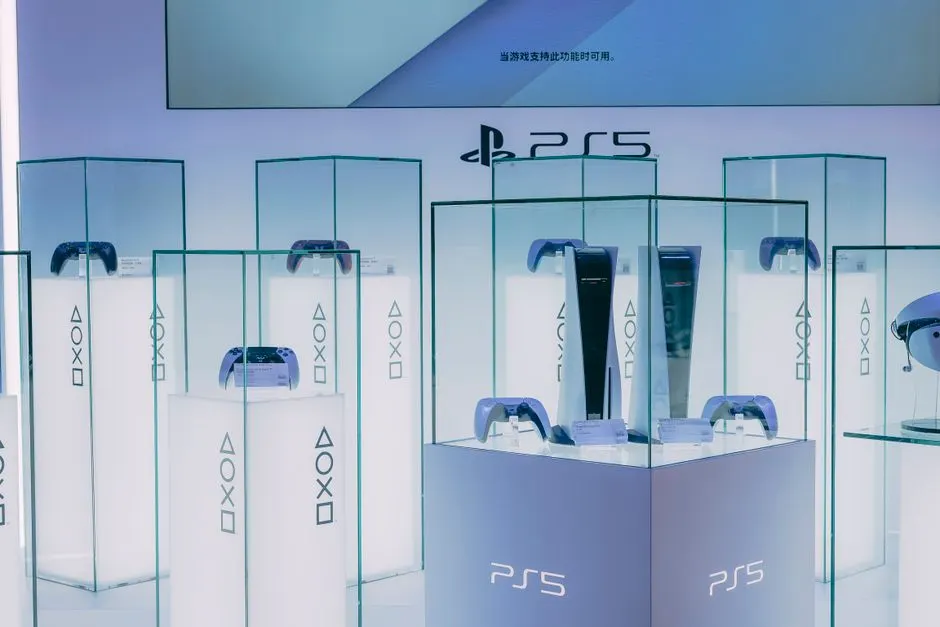
Your PS5 is overheating and shutting off during games because the console cannot move heat out of the chassis fast enough. The system hits its internal thermal limit, cuts power to protect the APU, and drops you back to a black screen - usually 15 to 40 minutes into a demanding title. This guide explains exactly why that happens in Houston, what you can safely fix yourself, and when it's time to hand the console to a repair tech.
We see this every week at our bench. A customer walks in with a launch-model PS5 that ran fine for years and now dies during Spider-Man 2 or Elden Ring. Nine times out of ten, the fix is a deep clean and fresh thermal paste - not a new console.
The Short Answer: Heat Has Nowhere to Go
PS5 overheating shutting off Houston TX is a thermal-management failure, not a software bug. The console's AMD Zen 2 and RDNA 2 chip generates 200 to 250 watts of heat under load, and that heat has to travel through a metal heat spreader, into a layer of thermal paste, then into a massive heatsink where a fan pushes it out the back. If any link in that chain is degraded, the APU spikes past 90°C and the system shuts down.
Three things break that chain: dust clogging the heatsink fins, dried-out thermal paste, and a fan that's slowing down or failing. Houston's climate makes all three worse. Our average summer humidity sits between 70 and 90 percent, and indoor dust here carries a lot of fine particulate from construction and pollen. That combination turns a console that would last five years in a dry climate into one that needs service at year three.
Why Does My PS5 Shut Off in Houston?
Houston heat absolutely contributes to PS5 overheating, but it's rarely the only cause. The console is designed to run in ambient temperatures up to about 95°F (35°C). When your living room hits 80°F in July and the PS5 sits in a closed media cabinet, the internal air temperature climbs another 15 to 20 degrees above ambient. That's when the thermal throttle kicks in.
We also see a pattern with apartment layouts. In dense complexes around Game Console Repair in Midtown, consoles often sit in entertainment centers with glass doors and two-inch rear clearance. There's nowhere for the hot exhaust to go, so the console pulls its own heated air back in. Moving the PS5 six inches away from the wall and opening the cabinet door solves a surprising number of these cases on its own.
If your PS5 shuts off during games Houston Texas and the room feels warm, start with airflow before you assume the hardware is failing.
The Five Real Causes of PS5 Overheating
After hundreds of teardowns, these are the five causes we find most often, in order of frequency.
1. Dust-Clogged Heatsink Fins
The PS5 pulls air through the top and side vents and pushes it out the back. Over 18 to 36 months, that intake path collects a felt-like mat of dust. We've pulled consoles apart where the heatsink fins were 60 to 70 percent blocked. Air simply can't pass through, so heat stays inside. This is the single most common cause of PS5 overheating and shutting off during games Houston TX.
2. Dried-Out Thermal Paste
Factory thermal paste has a service life of roughly three to five years. When it dries and cracks, it stops transferring heat from the APU to the heatsink. You'll see temperature spikes of 15 to 25°C compared to a freshly pasted console. This is why a console that ran cool for years suddenly shuts off after 20 minutes.
3. Failing or Slowed Fan
A healthy PS5 fan spins up to about 4,000 RPM under load. When bearings wear, it drops to 2,500 or lower and gets loud. If your fan sounds like a jet engine but the console still overheats, the fan is moving less air than it should.
4. Blocked or Obstructed Vents
Horizontal placement, tight shelves, and dust filters on aftermarket stands all restrict airflow. Sony designed the PS5 to stand vertically with at least four inches of clearance on every side.
5. Liquid Metal Migration (Launch Models)
Early PS5 units used liquid metal between the APU and heatsink. In consoles that have been stored vertically for years, that liquid metal can migrate off-center, leaving a dry spot that causes instant thermal shutdown. This is a bench-level repair, not a DIY job.
How to Fix PS5 Overheating in Houston
Start with the free fixes, then move to the ones that need tools. Here's the order we recommend.
- Give it room. Pull the PS5 out of any cabinet. Stand it vertically with four inches of clearance on all sides. This alone fixes maybe one in ten cases.
- Vacuum the vents. With the console off and unplugged, use a vacuum brush attachment on the low setting to pull dust from the top and side intake vents. Don't blow air in - that pushes dust deeper.
- Check the room temperature. If your gaming room runs above 85°F, that's part of the problem. A $30 tower fan pointed at the console's intake side drops internal temps by 5 to 8°C.
- Rebuild the thermal path. If cleaning and airflow don't fix it, the console needs to be opened, the old paste removed with isopropyl alcohol, and a fresh application of high-quality thermal compound. This is where most people stop and call us.
For consoles that need the full treatment - heatsink removal, fan replacement, liquid metal reapplication - our game console fan and cooling repair Houston TX service covers the whole thermal stack. We test every unit under a 30-minute load before it goes back to the customer.
If your console has never been opened and you're not comfortable with a Torx T8 security bit and a plastic pry tool, don't force it. The PS5's outer shell clips are easy to crack, and the ribbon cables inside are fragile.
What to Watch Out For: Common Mistakes
We've seen every mistake in the book, and a few of them turn a $120 repair into a $300 one. Avoid these.
- Using a shop vac on high. The static discharge can fry the motherboard. Use low suction only.
- Spraying compressed air into the console. It pushes dust into the heatsink and can spin the fan past its rated RPM, damaging the bearing.
- Reusing old thermal paste. Once you open the console, the old paste is done. Don't smear it back on.
- Ignoring the problem for months. Every thermal shutdown stresses the APU. Repeated heat cycles eventually cause permanent solder fatigue - the classic "yellow light" failure that kills the console for good.
- Buying a cheap aftermarket stand with a built-in fan. Most of these push air the wrong direction and make things worse.
One more thing: don't trust the "my console is fine, it's just hot" logic. A PS5 that's warm to the touch after two hours is normal. A PS5 that's too hot to hold your hand on for more than a few seconds is not. That's your cue to stop gaming and get it looked at.
When to Call a Professional
Call a professional when the console shuts off within 30 minutes of starting a game, when the fan is loud but the exhaust air is cool, or when you've already cleaned the vents and the problem persists. Those three symptoms point to thermal paste or liquid metal failure, and neither is a DIY fix.
Our team at Game Console Repair Houston handles PS5 overheating repair near me Houston customers call about every day. We open the console, photograph the dust and paste condition, replace the thermal interface, test the fan under load, and run a 45-minute stress test before we call it done. Most repairs are same-day if you drop off before noon.
If you bought a used PS5 on Facebook Marketplace or OfferUp, bring it in for a game console pre-purchase inspection Houston TX before you hand over cash. We've caught consoles with liquid metal damage that would have died within a month.
PS5 Overheating Repair Cost in Houston TX
Typical 2026 pricing in Houston for PS5 overheating repair runs $95 to $180 depending on what's wrong. Here's the breakdown we quote at the counter.
- Deep clean and fan service: $95 to $120. Includes full teardown, heatsink cleaning, and fan inspection.
- Thermal paste replacement: $120 to $160. Includes the clean plus fresh thermal compound on the APU.
- Liquid metal reapplication (launch models): $150 to $180. Requires full disassembly and careful cleanup of migrated metal.
- Fan replacement: $110 to $150 parts and labor, if the fan is failing.
Compare that to $500 for a new PS5, and the math is obvious. A $130 service that buys you another three years is the better call every time.
We also handle the related repairs that come up during a teardown - a PS5 repair Houston visit often turns into a disc drive cleaning or HDMI port check while the console is already open. If you're in one of the older neighborhoods where consoles sit in humid garages or converted rooms, like the bungalows around Game Console Repair in The Heights, we recommend a cleaning every 18 months instead of every three years.
Frequently Asked Questions
Why is my PS5 overheating in Houston?
Houston's heat and humidity accelerate dust buildup and dry out thermal paste faster than in drier climates. Most PS5 overheating cases here come down to a clogged heatsink, degraded thermal paste, or a slowed fan - usually a combination of all three after two to three years of use.
How do I stop my PS5 from shutting off during games in Houston TX?
First, move the console out of any cabinet and give it four inches of clearance on all sides. Vacuum the intake vents with low suction. If it still shuts off within 30 minutes, the thermal paste needs replacing - that's a bench repair, not a DIY fix.
Where can I get PS5 overheating repair near me in Houston?
Game Console Repair Houston offers same-day PS5 overheating repair at our Houston bench. Drop off before noon and most consoles are ready the same day. We test every unit under a 45-minute load before pickup.
Does Houston heat cause PS5 overheating?
Yes, but it's a contributing factor rather than the root cause. A PS5 in a 78°F room runs about 10°C hotter internally than one in a 68°F room. Combine that with dust and dried paste, and Houston summers push marginal consoles over the thermal limit.
How much does PS5 overheating repair cost in Houston TX?
Expect $95 to $180 for most PS5 overheating repairs in Houston in 2026. A basic deep clean runs $95 to $120. Thermal paste replacement is $120 to $160. Liquid metal service on launch models is $150 to $180. Fan replacement adds $110 to $150 if needed.
Get Help with Game Console Repair in Houston
If your PS5 is shutting off mid-game, don't wait for it to fail completely. A thermal shutdown today is a motherboard repair tomorrow. Bring it to our bench and we'll get you back to gaming the same day.
Call Game Console Repair Houston at +1 832-581-0001 to schedule your PS5 overheating repair. We serve all of Houston, from Downtown to The Heights, Midtown, and Montrose.