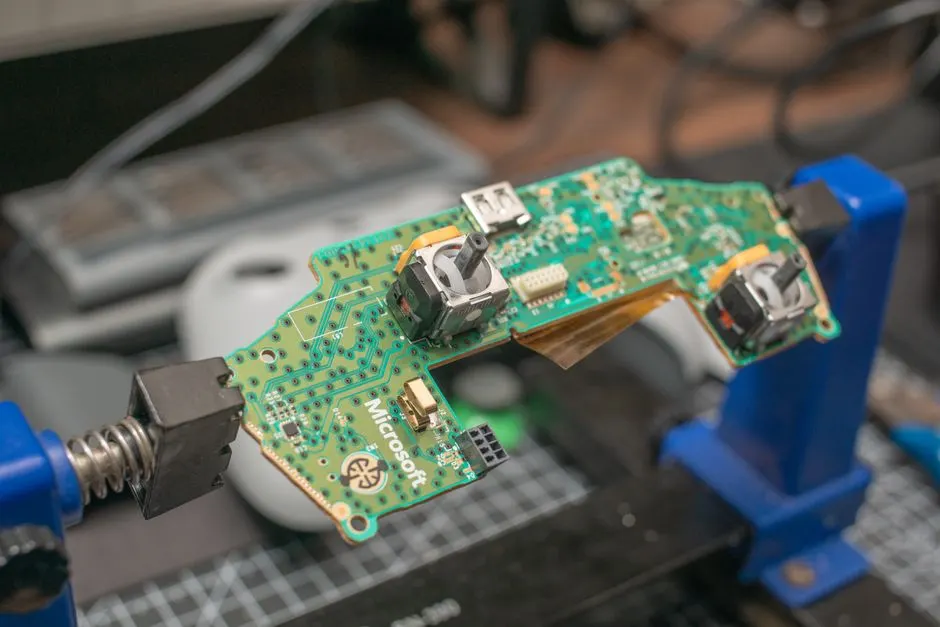
Your Xbox One fan is loud because it is working harder than it should - almost always from dust-clogged heatsinks, a fan bearing that has worn out, or a console sitting in a hot, enclosed space. The fix depends on which one it is: a deep clean solves most dust cases, and a fan replacement solves the rest. We see this every week at our bench in Houston, and the good news is that the loud fan is usually a warning, not a death sentence.
Below we walk through the real causes, the DIY steps worth trying, the mistakes that turn a $60 job into a $200 one, and how to know when it is time to hand the console to a technician.
Why your Xbox One fan gets loud in Houston
Houston is one of the hardest cities in the country on a game console's cooling system. Our humidity pulls dust and pollen into every intake, and our eight-month stretch of 90°F-plus days means your Xbox One is already fighting room temperature before it even boots a game. An Xbox One fan loud fix in Houston TX starts with understanding what the fan is actually reacting to.
An Xbox One cooling fan is a variable-speed blower that pulls air across the heatsink and exhausts it out the top or side vents. When the console's internal temperature sensor reads hot, the fan spins faster - and faster means louder. So the noise is not the problem. The noise is the console telling you it cannot shed heat fast enough.
There are four causes we find on the bench, in order of frequency:
- Dust and lint packed into the heatsink fins. This is the number one cause. Houston's airborne dust is fine and sticky, and it cakes onto the fins until airflow drops by half.
- Dried-out or worn fan bearings. After three to five years of daily use, the bearing loses its lubricant and starts to whine, rattle, or grind.
- Thermal paste breakdown. The paste between the APU chip and the heatsink dries out and stops transferring heat, so the fan runs at 100% constantly.
- Poor placement. A console in a closed cabinet, on carpet, or against a wall recirculates its own hot exhaust.
If your console also shuts itself off mid-game or shows an overheating warning, the fan noise is a symptom of a bigger cooling problem. That is a job for our game console overheating repair Houston TX service, not a can of compressed air.
How to fix a loud Xbox One fan in Houston TX
How to fix Xbox One loud fan in Houston TX depends on whether the noise is airflow-related or mechanical. If the fan sounds like rushing air that gets louder over time, it is dust. If it rattles, clicks, or buzzes at idle, it is the bearing - and no amount of cleaning will fix that.
Step 1: Rule out placement first (5 minutes)
Pull the console out of any cabinet and set it on a hard, open surface with at least four inches of clearance on every vented side. Play for 30 minutes. If the fan quiets down noticeably, you just solved it for free. Houston apartments with media closets are the worst offenders here.
Step 2: Blow out the vents (15 minutes)
Power the console off and unplug it. Use short bursts of compressed air at the intake and exhaust vents, holding the can upright so you do not spray liquid propellant onto the board. Do this outside - you will be shocked how much gray dust comes out. Repeat every three to four months in Houston.
Step 3: Decide between a clean and a replacement
If the fan still roars after a vent blowout, the dust has packed into the heatsink where air cannot reach it. That requires opening the console, removing the fan and heatsink, and cleaning the fins directly. At that point you are also one step from a fan replacement, which is why most customers just bring it to us. Our game console fan and cooling repair Houston TX service covers the full teardown, heatsink clean, thermal paste refresh, and fan swap in one visit.
Step 4: Replace the fan if it rattles
A rattling or grinding fan is a mechanical failure. The bearing is gone, and the fan will eventually seize - which means your console overheats and shuts down. Replacement fans for the Xbox One, One S, and One X run $15 to $35 for the part, and the swap takes a technician about 45 minutes. Doing it yourself is possible, but the ribbon connector on the One S is fragile and easy to tear.
What to watch out for when DIY cleaning
The most common mistake we see is a customer who watched a teardown video, pried the case open with a screwdriver, and cracked the plastic clips or ripped the fan ribbon cable. The console then arrives at our bench with two problems instead of one.
Other traps:
- Using a shop vac on the vents. The static can fry the board. Never do this.
- Spraying compressed air while the console is plugged in. Unplug it first, every time.
- Spinning the fan with air. Overspinning the blades can damage the bearing you are trying to save.
- Reusing old thermal paste. Once you lift the heatsink, you must clean and reapply. Reusing dried paste makes the noise worse.
- Ignoring the noise for months. A loud fan that runs hot shortens the life of the APU, the most expensive part in the console.
If you are not comfortable with a plastic pry tool and a T8 Torx driver, stop before you open the case. The repair is cheap. A new motherboard is not.
When to call a professional
Call a professional when the fan still roars after a vent cleaning, when you hear rattling or grinding, or when the console shuts off during play. Those three symptoms point to a bearing failure, dried thermal paste, or a heatsink that needs a full teardown - none of which a can of air will fix.
We handle this every day for players across the city. If you are near the ballpark or the theater district, our Game Console Repair in Downtown Houston service covers high-rise apartments and lofts where consoles sit in tight media cabinets. Up north, Game Console Repair in The Heights customers deal with the same dust problem in older bungalows with window units and ceiling fans moving air all day.
We diagnose the fan for free, tell you whether it needs a clean or a replacement, and quote the price before we touch a screw. Most fan jobs are same-day.
What a fan repair costs in Houston in 2026
Typical 2026 pricing in Houston for Xbox One fan work breaks down like this:
- Diagnostic: free at our bench.
- Deep clean with thermal paste refresh: $60 to $90.
- Fan replacement (part + labor): $85 to $140, depending on model.
- Full cooling service (clean, paste, fan, heatsink): $110 to $170.
Compare that to a new Xbox One, which runs $200 to $300 used in 2026, or a current-gen console at $400-plus. A fan repair is almost always the smarter call, especially if the rest of the console works fine. If your console has other issues too - disc drive, HDMI, controller drift - we can bundle the work and save you a second trip. Our Xbox repair Houston TX page lists everything we handle on Microsoft consoles.
One more note for Houston players: if you bought a used console off a marketplace listing, bring it in before you trust it. Our game console pre-purchase inspection Houston TX catches dust-packed fans, failing drives, and past water damage before you hand over cash.
Frequently Asked Questions
Why is my Xbox One fan so loud in Houston?
Houston's dust, pollen, and long hot season clog the heatsink and force the fan to spin faster. In most consoles we open, the fins are half-blocked with packed dust. A deep clean usually drops the noise by half or more.
How to fix Xbox One loud fan in Houston TX?
Start with placement and a vent blowout - that fixes maybe a third of cases. If the fan still roars or rattles, it needs a teardown clean or a fan replacement. Most Houston shops, including ours, turn that around in a day.
Where to repair Xbox One fan in Houston?
Bring it to a shop that does board-level console work, not a general phone repair kiosk. We are at our Houston bench six days a week and do fan swaps, thermal paste, and full cooling services on every Xbox One model.
Xbox One fan repair cost Houston?
Expect $60 to $90 for a deep clean and paste refresh, and $85 to $140 for a full fan replacement in 2026. Diagnostic is free at our shop, and we quote before we start.
Who fixes Xbox One fan in Houston TX?
We do. Game Console Repair Houston handles Xbox One, One S, and One X fan and cooling work, plus overheating, HDMI, and disc drive repairs. Same-day service on most fan jobs.
Get help with Game Console Repair in Houston
If your Xbox One fan is loud enough to hear over your headset, bring it in before the heat does real damage. We will clean it, replace what is worn, and get you back to quiet gaming.
Call Game Console Repair Houston at +1 832-581-0001 to book a fan diagnostic or a same-day repair.